What's new in Pool Founder: a To do list, e-signatures and parts orders
Big week. A lot of this came straight from your replies and calls, so keep them coming.
1. The Overview is your To do list
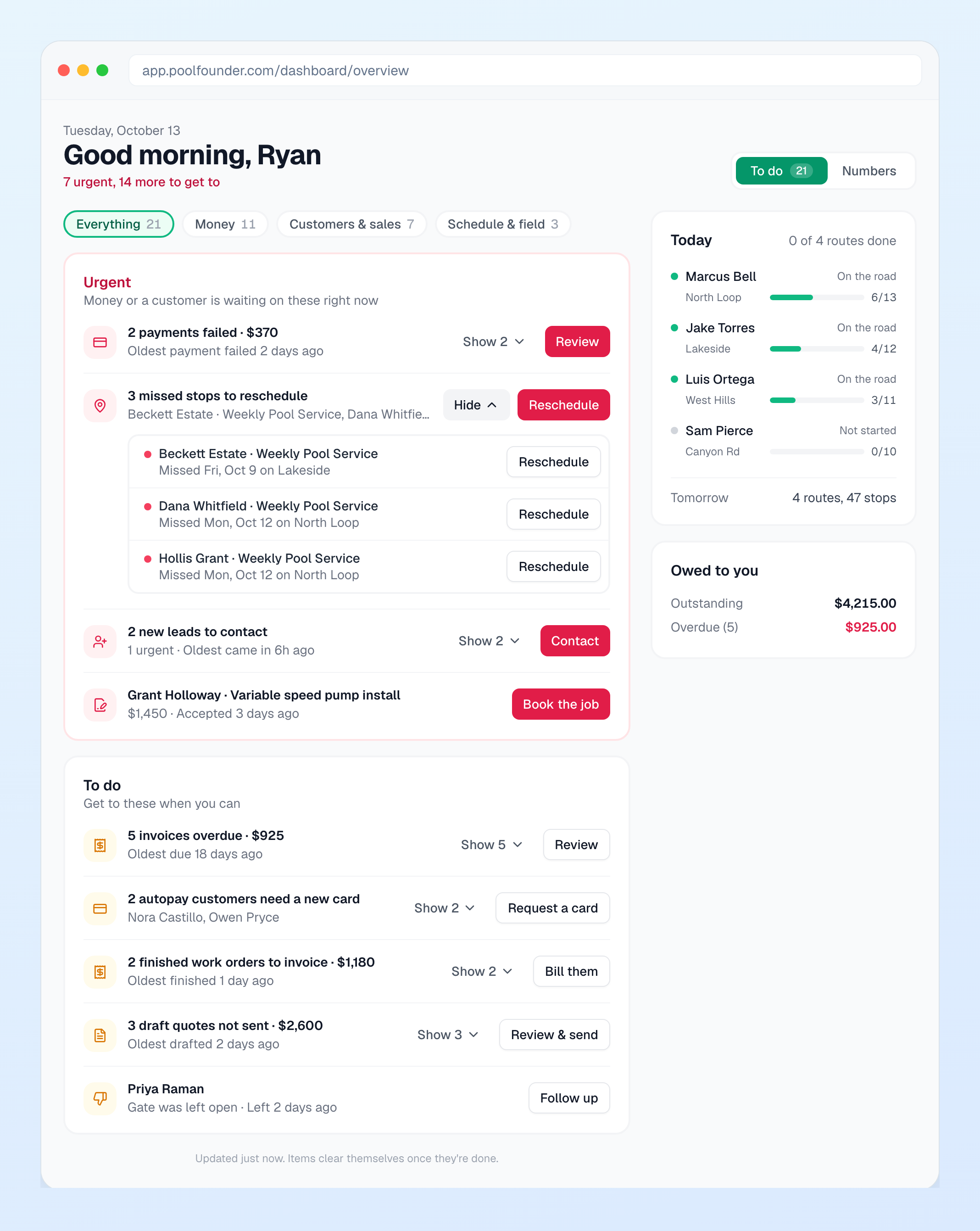
Open the dashboard and it tells you what is waiting on you: failed payments, overdue invoices, unsent drafts, finished work orders to bill, new leads, accepted quotes not booked, missed stops, autopay cards about to expire, thumbs-down visits and more. Urgent things go first, and each row clears itself once the work is done. Missed stops can be rescheduled right from the list. Your money cards and charts are one click away under Numbers.
2. Customer documents and e-signatures
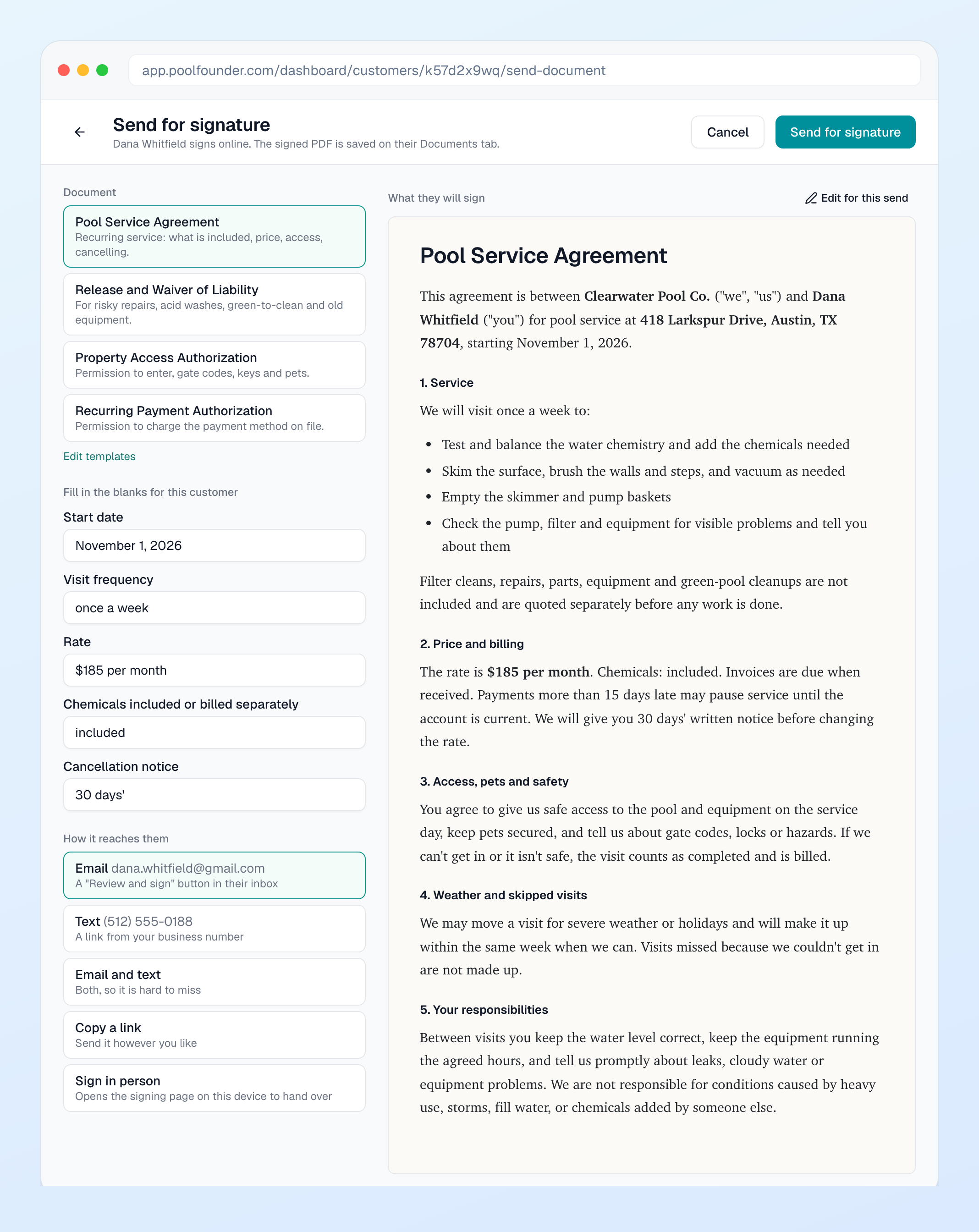
Every customer has a Documents tab. Send a service agreement, waiver or autopay authorization to sign by email, text, link or in person from the tech app. There are four starter templates under Services, or upload your own PDF contract and drop the signature boxes on it. Reminders go out on day 3 and 7, and you get back a signed PDF. Paper contracts can be uploaded and marked signed too.
3. Parts orders and pickup stops
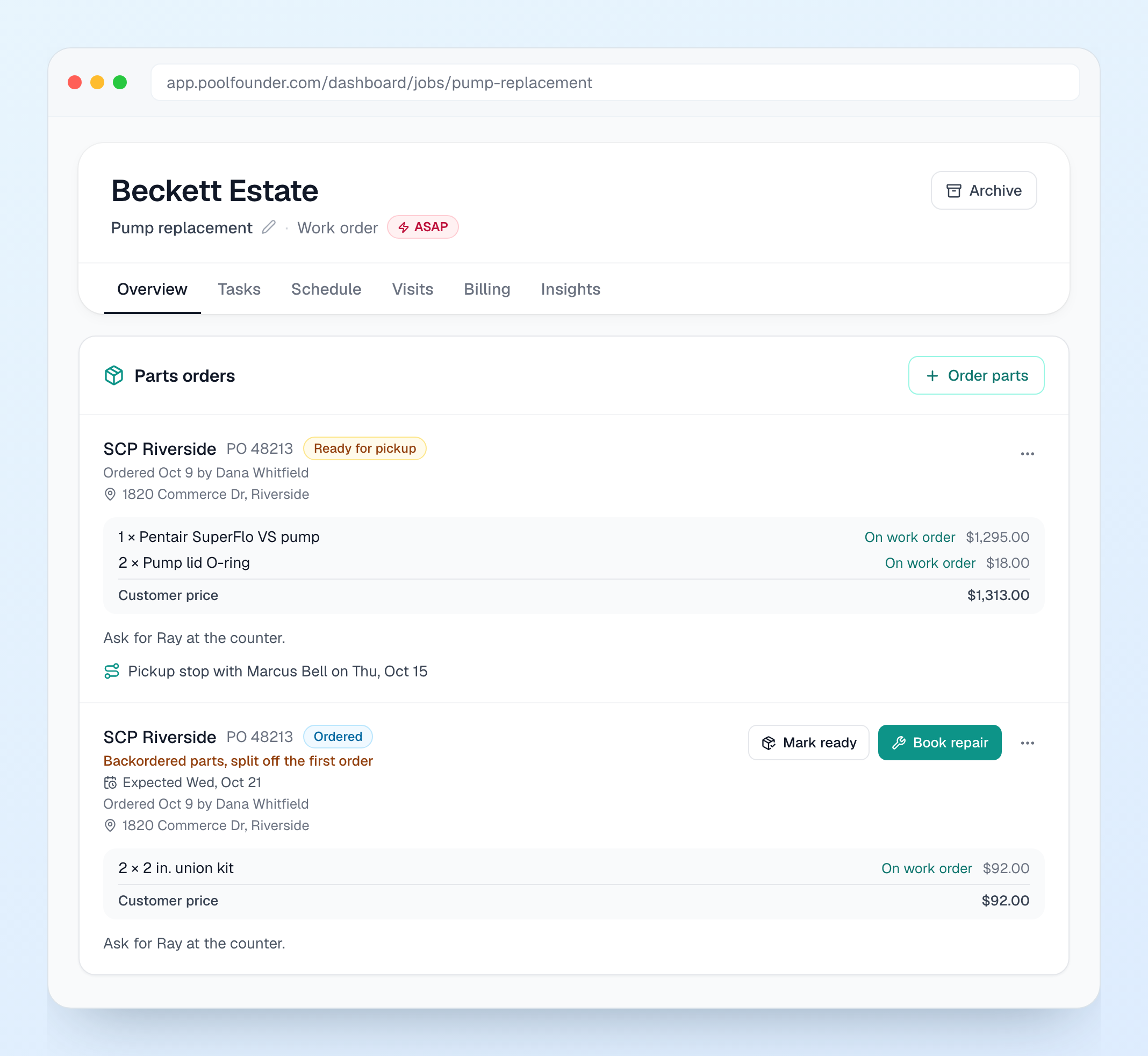
Built for the repair flow one of you walked us through: quote, diagnose, order parts, send a tech to grab them, go back for the repair. Order parts from any supply house on the work order, mark them ready, and Book repair puts the pickup stop right before the repair on a tech's day. The work order waits on hold until the parts are in, backorders split off, and you can set a parts markup under Settings, Pricing.
4. Stop ratings
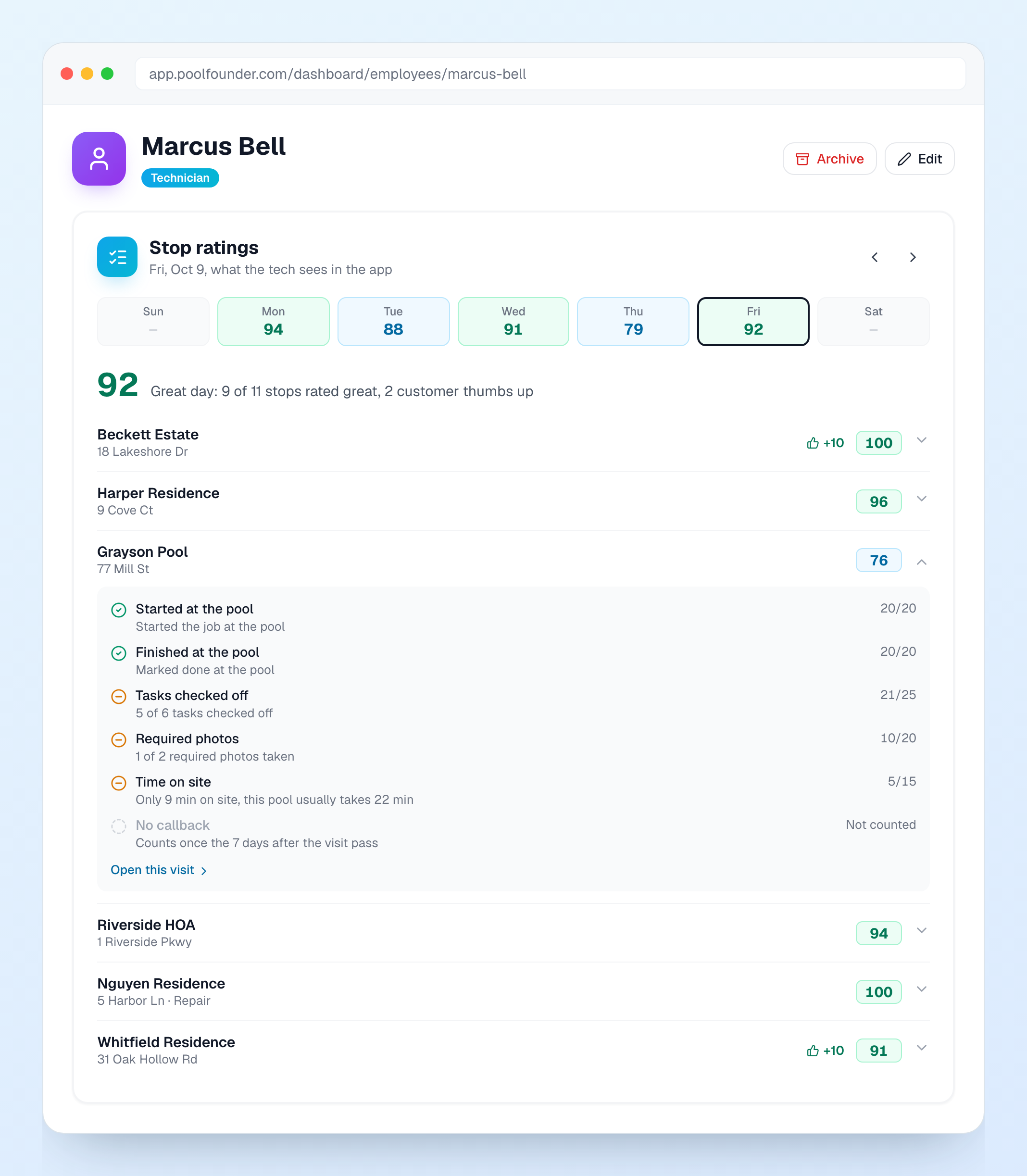
Every finished stop gets a score out of 100: started and finished at the pool, tasks checked off, photos taken, and time on site compared to that pool's usual. Going long never costs points. You set the rules under Settings, Stop Ratings and can preview them on past weeks. Techs only see their ratings once you turn that on. The tech scorecard is now just the average stop rating, so the two always agree.
5. Thumbs-down alerts and logged feedback
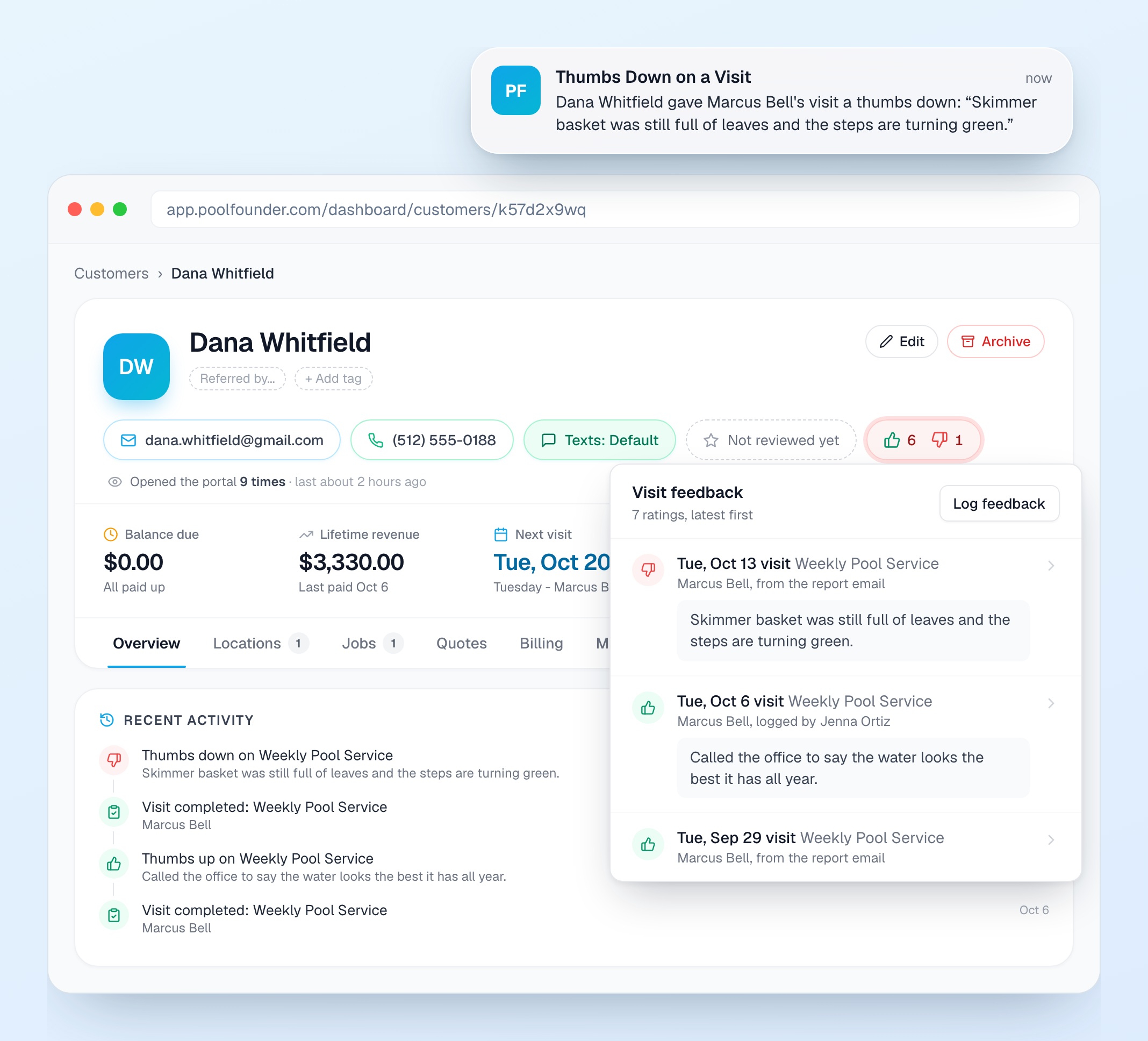
One of you asked to hear about unhappy customers right away. When a customer votes Needs Work on a service report, you now get a Thumbs Down on a Visit alert with their comment and the tech's name. When a customer tells you in person or on the phone, use Log feedback and it counts like an emailed vote. Customers show a feedback pill in their header, red if the latest one was bad.
6. Team Chat, with George in it
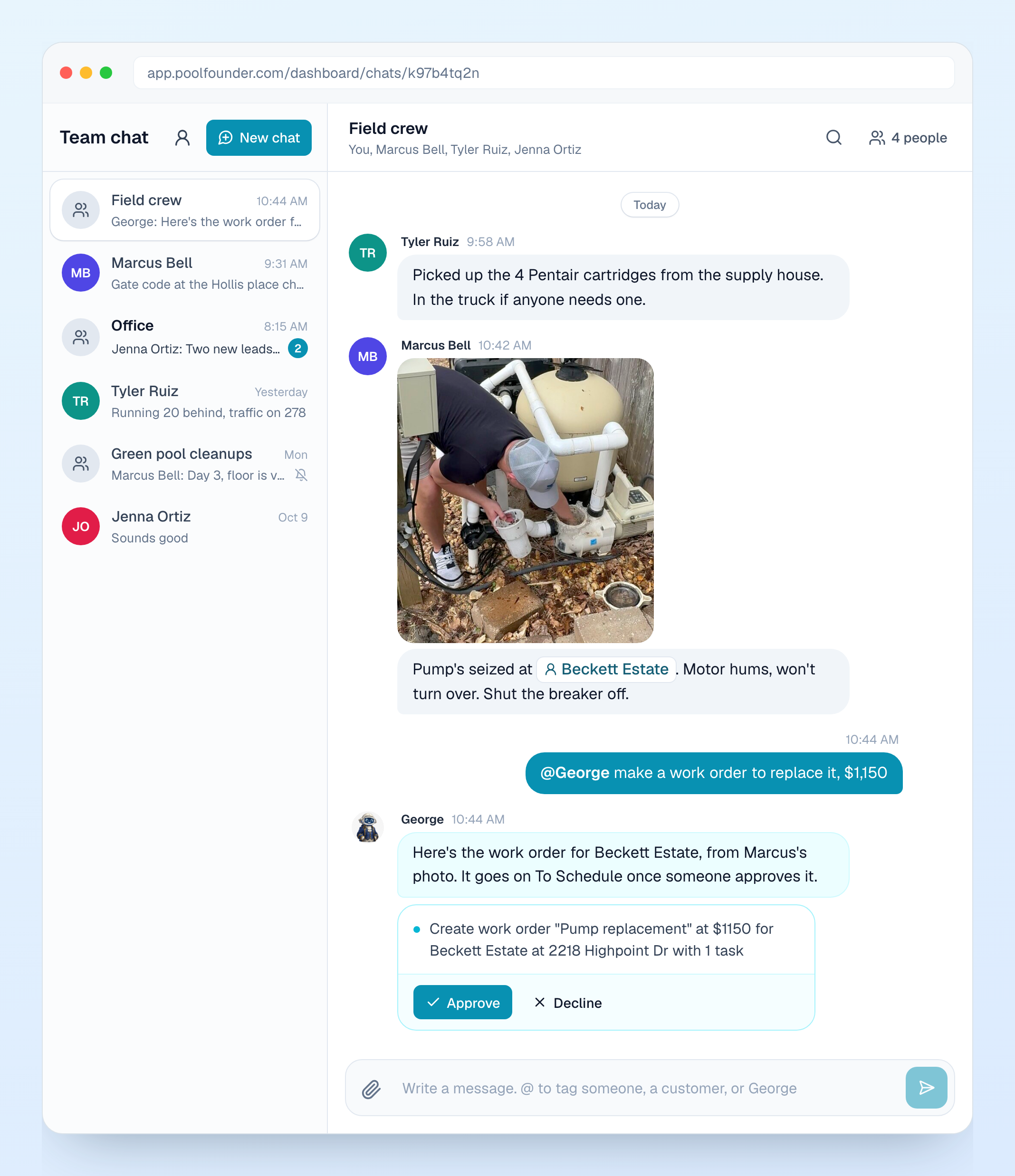
Group chats and direct messages with your crew, on the web (Team, Team Chat) and in the tech app (Comms, Team). Photos, videos, PDFs, replies, search and push notifications. Tag a teammate, a customer, a job or an invoice with @. George is in every chat: @George to look something up or make a change, and anyone with the permission can approve it.
7. Quotes
Customers can accept a quote from its link without signing in. Sent quotes have Copy link and Text quote. A tech who finds a problem on a visit can write a follow-up quote that stays tied to that visit, and the tech app can start a quote from one of your services, same as the web.
8. Earlier on-the-way texts
Some customers had stops so close together the text arrived as the tech pulled up. You can now send it 30, 60 or 90 minutes before arrival ("around 11:45"). The Stops tab in the tech app has an On the Way button on every stop, not just the next one.
9. Profitability: billed vs not billed yet
One of you read a customer's earned revenue as money collected. Revenue is earned per visit, so now every revenue number shows how much is billed and how much is not billed yet, and the chart colors the two differently.
10. Clearer roles, and Move own stops
Every permission now has a plain description and a "What this allows" list, a few catch-all permissions were split up (pricing, pools and equipment, saved replies), and nobody lost access. New: Move own stops, so you can stop techs moving or skipping their own stops. One of you asked for this one.
11. Pools, equipment and water chemistry
Every pool or spa is a card on the location and customer pages with its equipment right there, because one of you could not find where equipment lived. A pool is no longer required before a tech can log readings. Chemistry follows the pool type (Salt or Chlorine), techs can fill in a missing pool type, and the Balance calculator is now on for everyone.
12. Time at stop that matches reality
A 15-task service was planning every stop at 75 minutes when the real visits took about 18. Time at stop now comes from the pool's own visit history, then the service's Time at stop, never from adding up tasks. The job page says where the number came from and you can set it by hand.
13. Tech app
Add notes, tasks and water tests to a visit after it is done. Set Repeats on a work order. Create a lead from a technician alert, photos included. Photo-required tasks really need the photo now. Reverse the day's stops from the Stops tab.
14. Connect Claude or ChatGPT
If you use Claude or ChatGPT, you can connect it to your Pool Founder account and ask it about your business. It sees only what your role can see. Owners turn it on under Settings, API.
15. Smaller things
Customers shows how many have a card on file and how many are on AutoPay. You can hide Stripe's Pay with Link button if it confuses your customers. Change your business address and Pool Founder offers to update your open invoices. The phone assistant can say "someone from the team will call you back" instead of your name. Temporary transfers can run until a date. You get an alert when a tech moves a pool to another route. The route page has Previous day and Next day. And you can book a support call with me from the menu under your name.
New video walkthroughs for Quotes, Visit plans and customer documents are on their pages (the Watch button next to the title).