Heads up: the Pool Founder sidebar got shorter
Quick one so nothing catches you off guard. The sidebar in the dashboard had grown to 55 links, and it was getting hard to find your way around, especially when you are new. So we cut it down to 21. Nothing was removed and every link you have saved still works.
1. Your everyday pages did not move
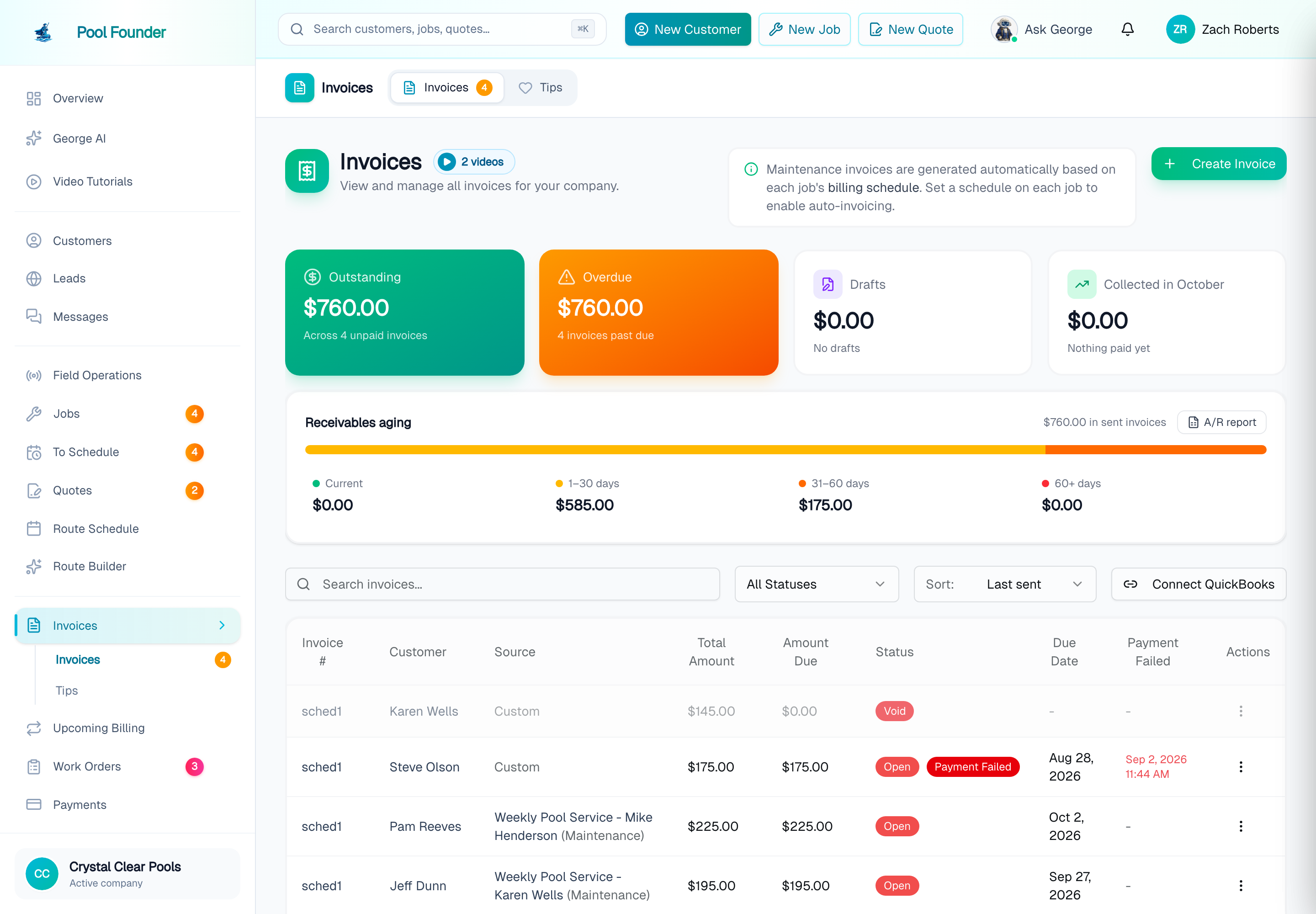
Customers, Leads, Jobs, To Schedule, Quotes, Route Schedule, Route Builder, Chemicals and Parts are all still right there in the sidebar. A few related pages are now tabs on the page they belong with: Phone, Portal messages and Email are under Messages, Route Map and Route Health are under Route Schedule, Completed Stops, Unplanned Stops and Technician Alerts are under Field Operations, and Invoices, Upcoming Billing, Work Order Billing, Payments and Tips are under Billing. When you open one of those, its tabs show up right under it in the sidebar and across the top of the page.
2. Everything you set up once is on the new Settings page
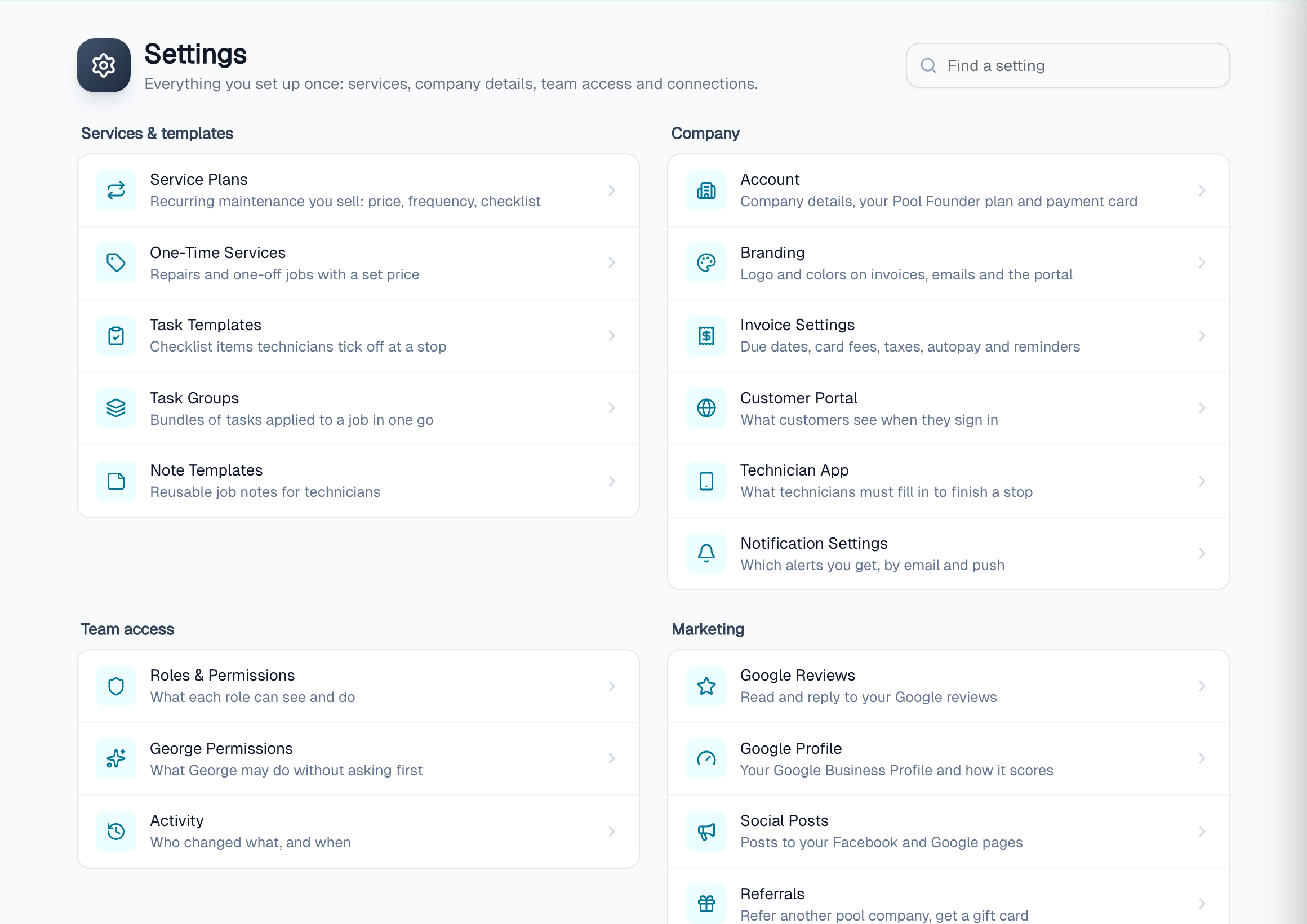
Branding, Invoice Settings, Customer Portal, Technician App, Roles & Permissions, George Permissions, Activity, Google Reviews, QuickBooks, Heritage, the API and customer import all moved to one Settings page at the bottom of the sidebar. Each one has a line saying what it is for, and there is a Find a setting box at the top. It still understands the old names, so typing "company settings" finds them, and so does the search bar (Cmd+K). Service Plans, One-Time Services, Tasks and Note Templates have their own Services item in the sidebar instead, because you edit those all the time.
If you cannot find something, ask George ("where are my service plans?") or check poolfounder.com/help/finding-your-way-around. And if the new layout gets in your way, I want to hear it.