What's new in Pool Founder: Google Reviews + Route Fit
Big week. Two brand-new features and a pile of quality-of-life stuff. Here’s what’s live.
1. Your Google reviews now live inside Pool Founder
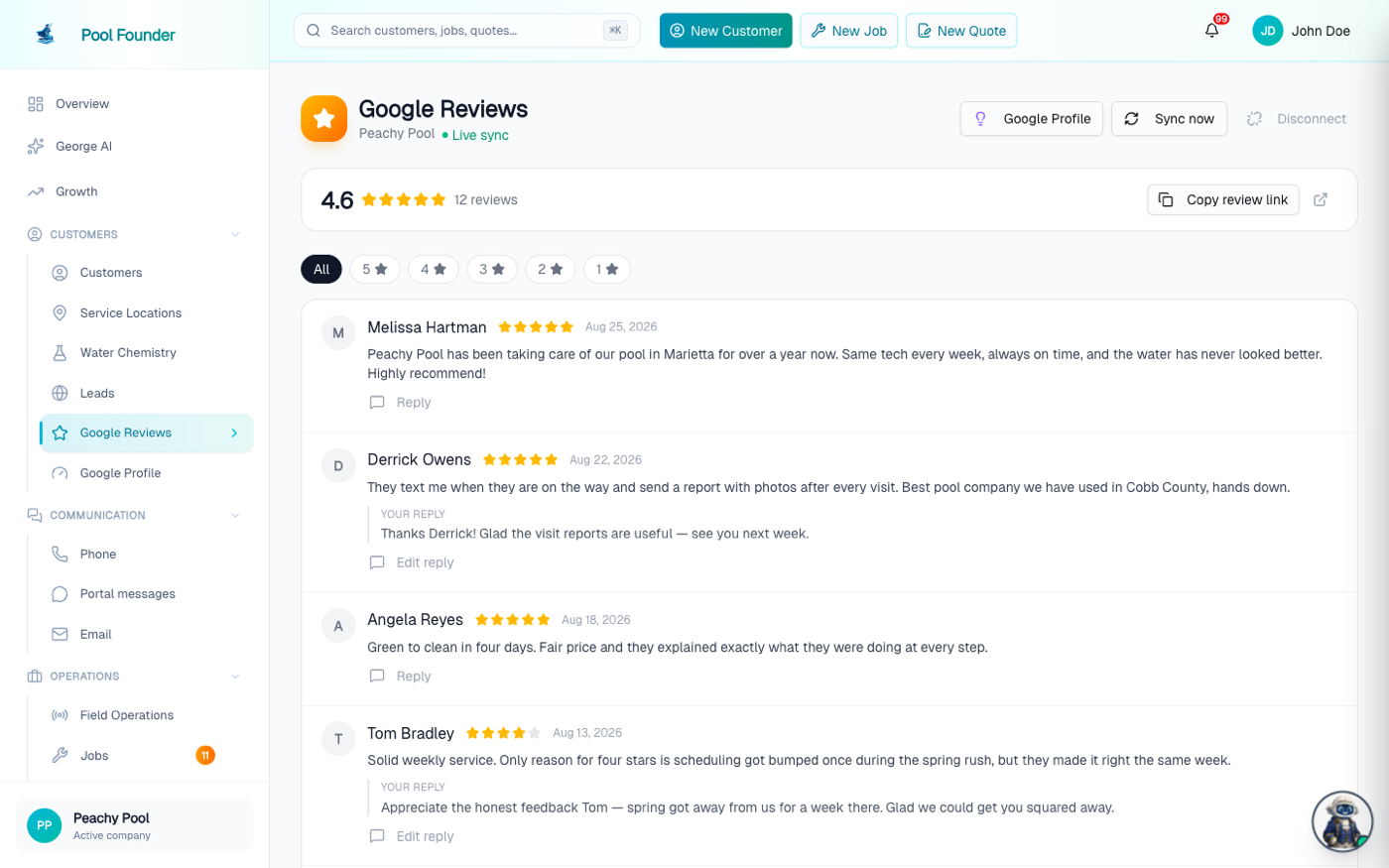
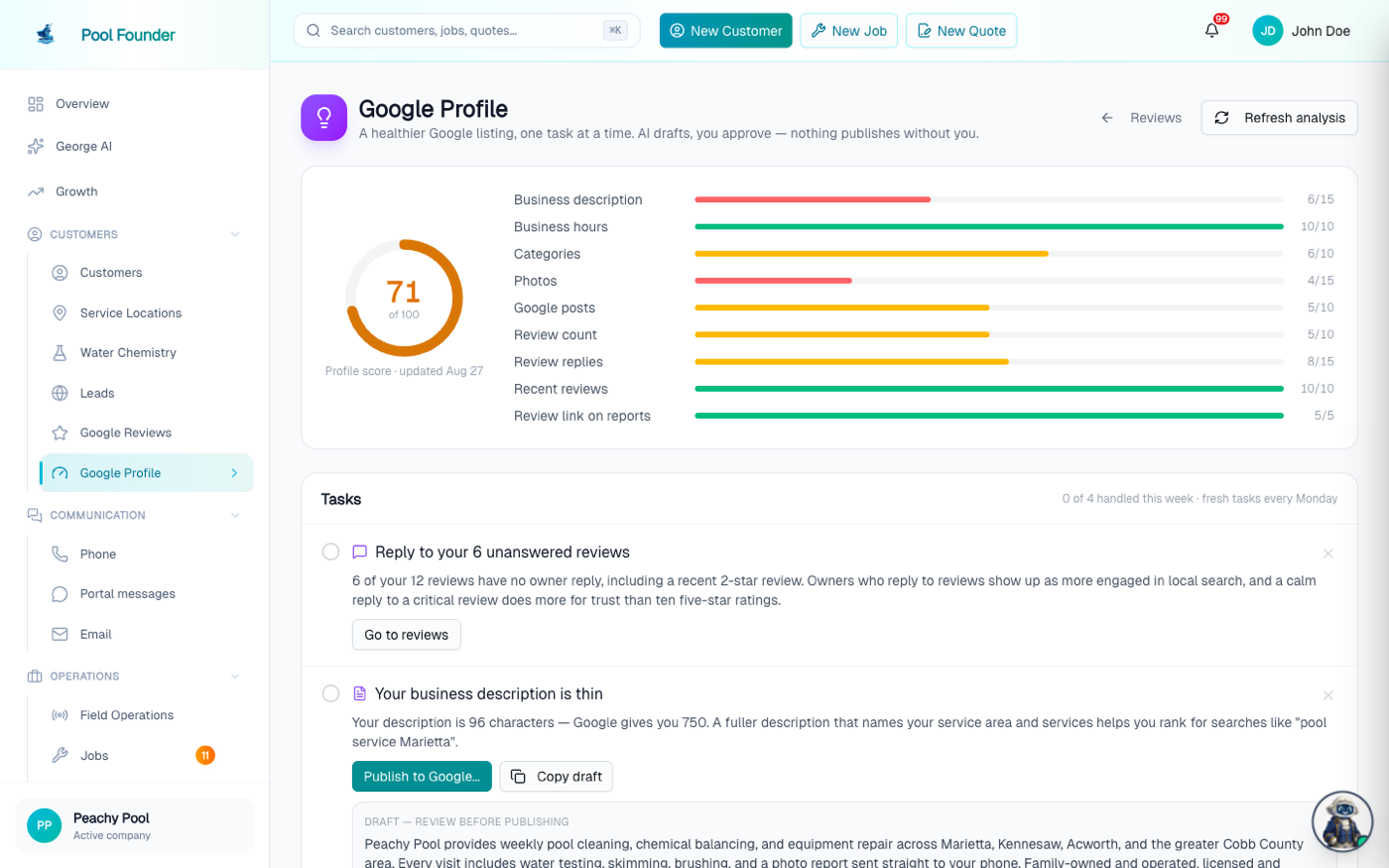
Connect your Google Business Profile (Settings takes about a minute) and your reviews show up right in the dashboard. You can read them, filter by stars, and publish a reply to Google without ever leaving the app. You get a notification when a new review lands, and a louder one when it’s 3 stars or under, because those are the ones where a fast, decent reply actually matters. There’s also a copy-ready review link you can text a happy customer on the spot, which is the single cheapest marketing move in this business. And there’s a new Profile Coach: it looks at your actual profile — photos, hours, description, how many reviews are sitting there with no reply — and hands you a short list of things worth doing, with ready-to-paste drafts where it can. One thing I want to be clear on: it never posts anything to Google on its own. You review and publish everything yourself.
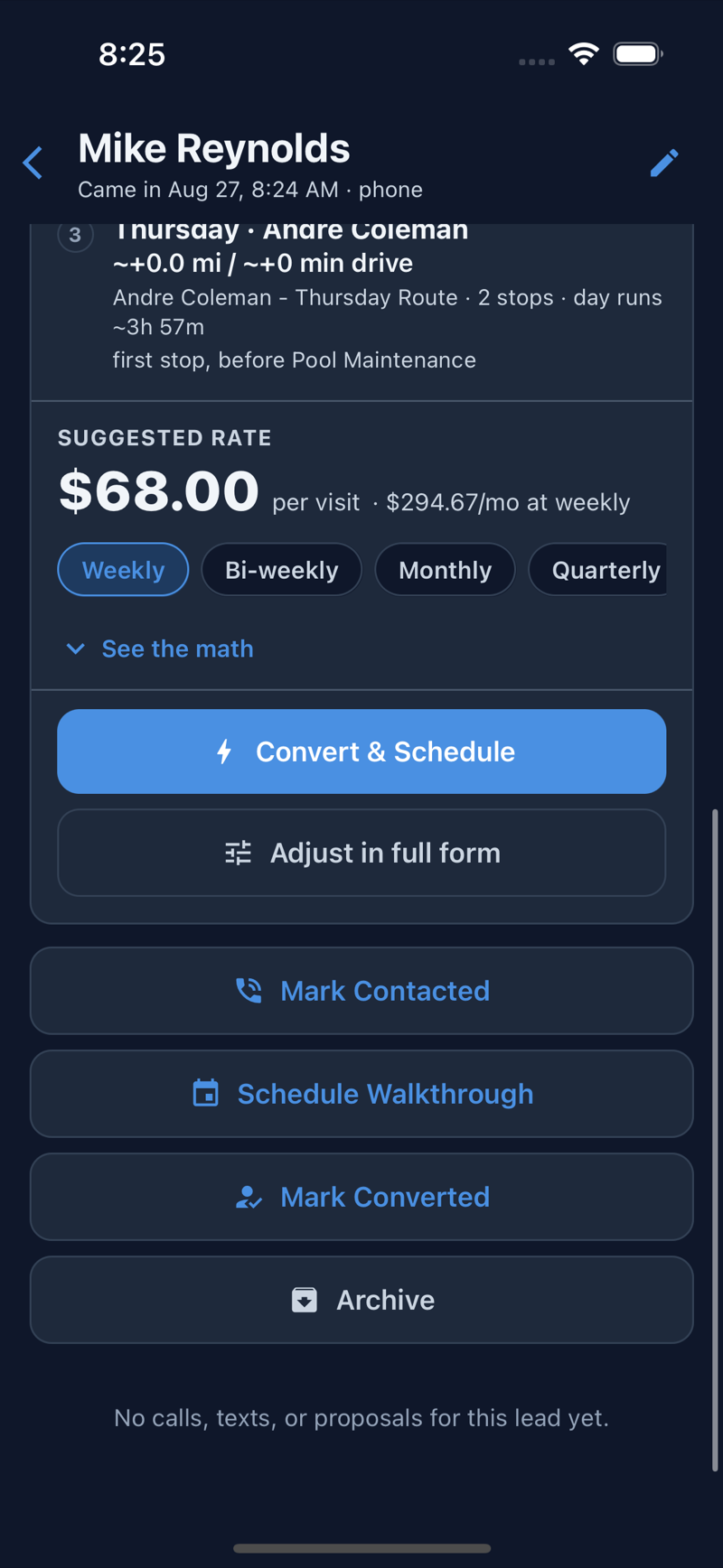
2. Route Fit: know where a new lead fits and what to charge, before you even call back
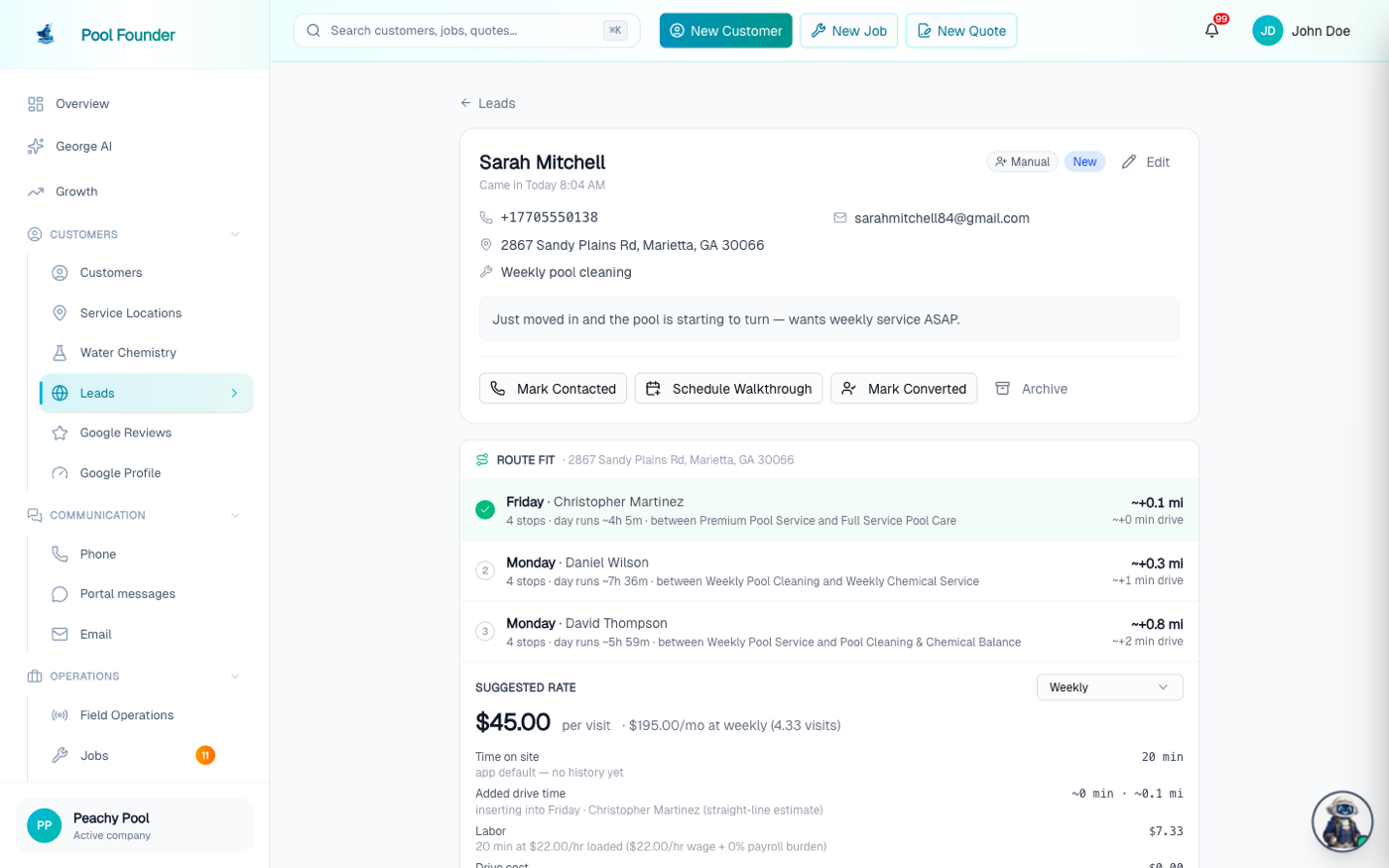
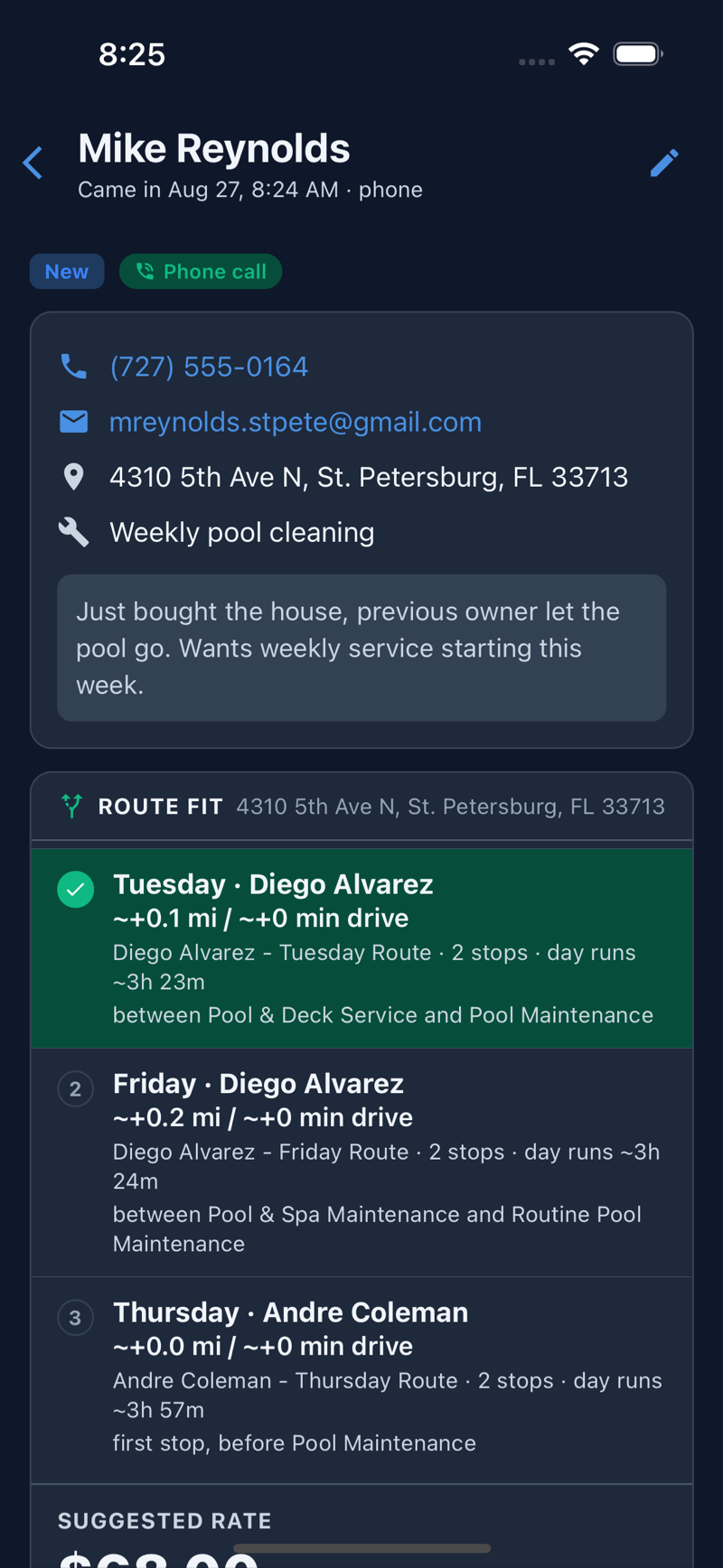
A lead comes in and you really have three questions: where does this pool fit in my week, what should I charge, and can I just say yes. Route Fit answers all three. Open the lead and you get up to three ranked spots on your existing routes with the real added miles and minutes, plus a suggested rate built from your own numbers — how long your visits actually take, labor, drive cost, chemicals, your target margin. Tap in and see the math; nothing is a black box. Like what you see? Convert & Schedule turns the lead into a customer, creates the job, and drops the stop into that exact slot in one click. It works in the truck too: your tech takes a call, one tap starts a New Lead, and the fit and rate are on screen in about ten seconds. While we were at it we rebuilt address entry on mobile into a proper full-screen search, the way Uber does it, with a map pin confirm so the stop lands on the right driveway.
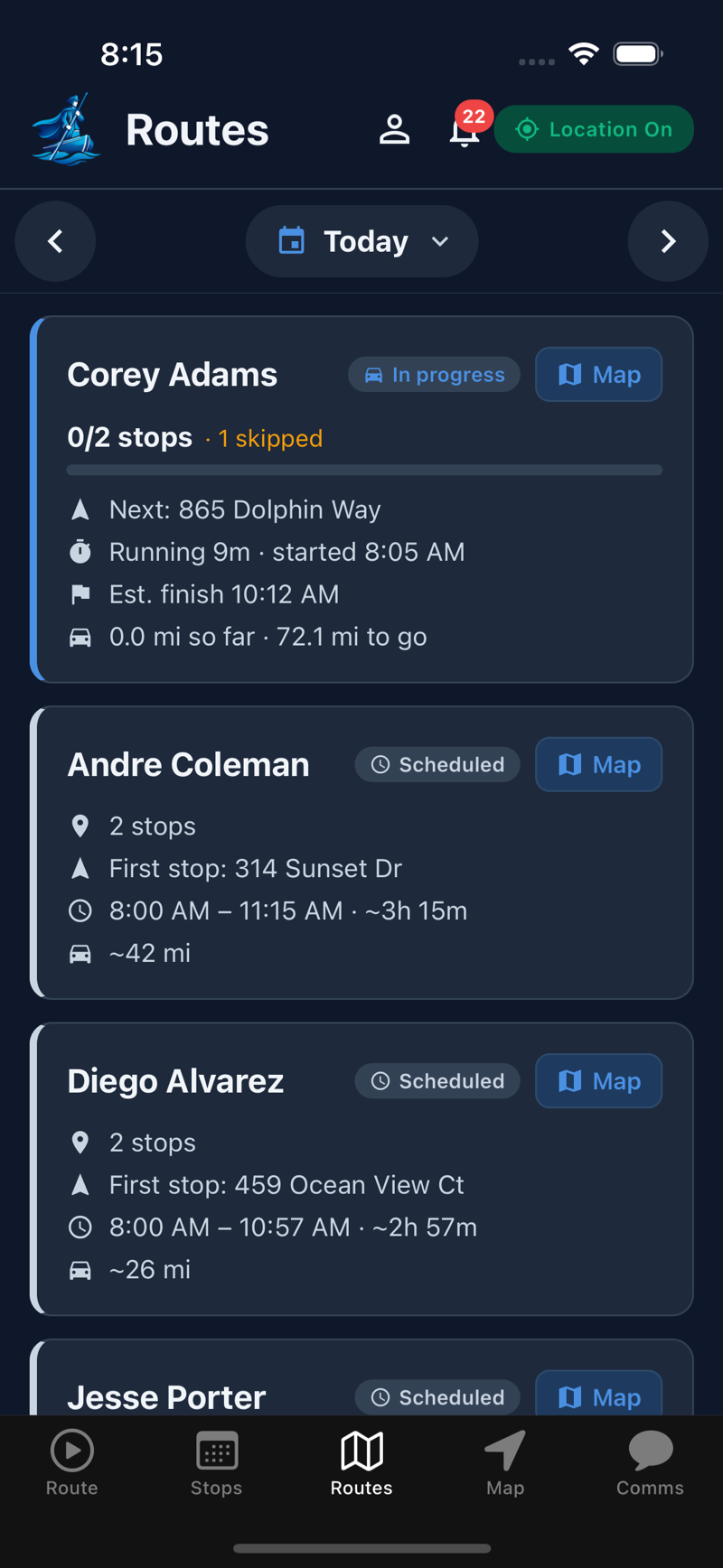
3. The mobile Routes tab is now a whole-team dispatch board
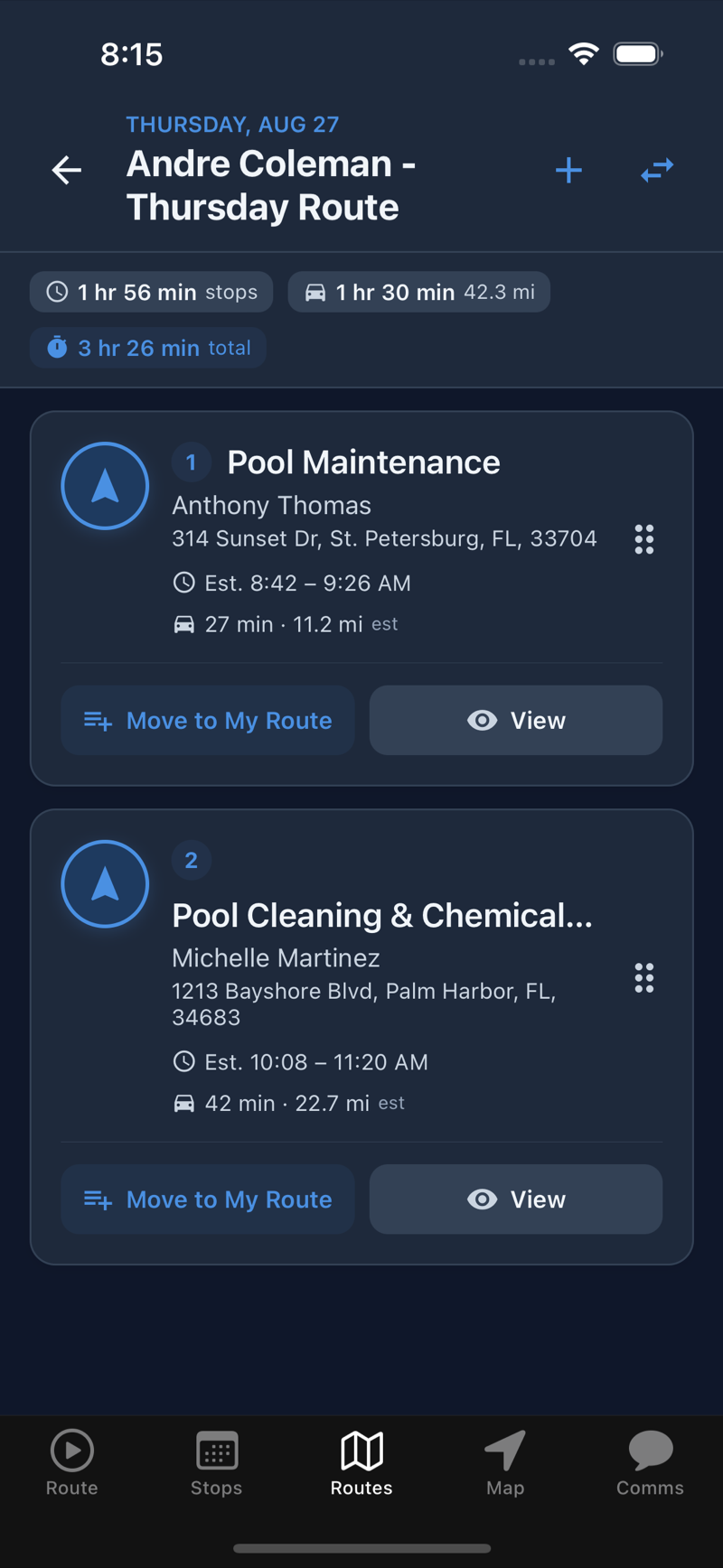
The Routes tab used to make you pick a person first. Now it’s date-first: pick a day and see every tech’s route at once — who’s running, their next stop, stops done, running time with an estimated finish, and miles so far. Tap into a day to see drive time between stops, gate codes, and skip reasons, add a job onto any day, or let a tech pull an eligible stop onto their own route, either just for today or permanently. A Map button shows the actual GPS trail once a route is running. And route editing is now properly role-based, so you control who can move stops around.
4. Forgot to tap Finish? We stopped treating that like an abandoned route
If a tech serviced pools all day but never hit Finish, the overnight cleanup used to mark the route abandoned and fire the scary alerts. Now, if at least one stop was completed, the route just closes as completed at the time of their last real activity. The alarms are saved for actual no-shows, where nothing got done. Any leftover stops still land in the missed-stops flow so nothing falls through.
5. A few smaller things
Techs can now start a brand-new text thread from the app — pick a customer or lead and go, instead of only replying. Photos everywhere in the tech app open in a proper full-screen viewer with pinch-zoom. Chemical readings on pool-and-spa properties are now tagged to the right body of water. In-flight ACH payments show on the invoice so nobody accidentally charges twice while a bank transfer clears. And there’s a resend button for admin invites that expired before your office person got around to them.