What's new in Pool Founder: let customers pay over time with Klarna and Sunbit
Two weeks of updates, almost all of them from your replies, calls and George chats. The big one first.
1. Customers can pay over time with Klarna and Sunbit
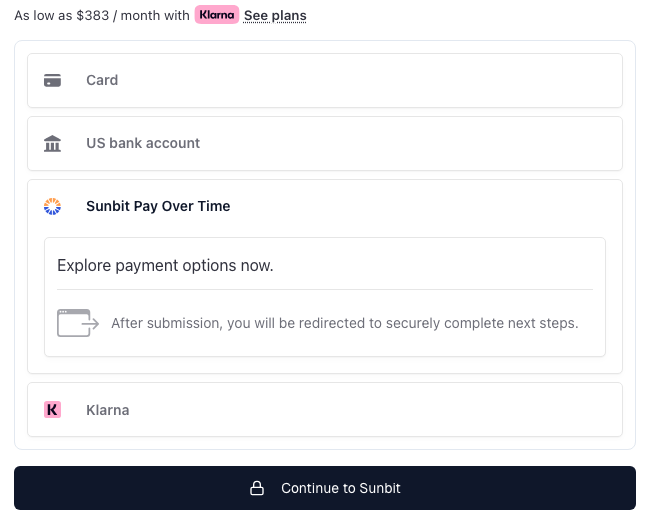
An $8,000 equipment pad is a hard yes on the spot. "As low as $383 a month" is an easy one. Turn on "Let customers pay over time" in Invoice Settings and your pay page and quotes offer Klarna and Sunbit next to card and bank. You get the full amount up front, and the lender collects the monthly payments. The lender fee is about 6% (a card is 2.9%) and can't be passed on, so price big jobs with that in mind.
2. Answer calls from the dashboard
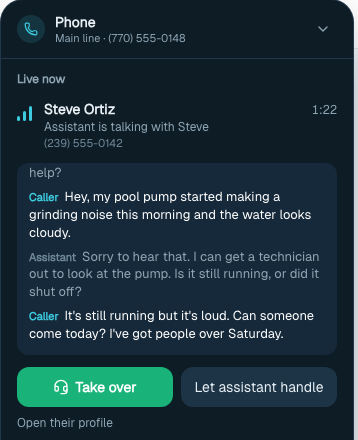
One of you was coming from Quo and asked for everything it did. Calls can ring everyone in Pool Founder first, or your assistant answers while you watch live and press Take over to jump in (Phone settings, Calls). Also new: record calls with transcripts, Do Not Disturb per person, block spam calls, schedule a text for later, and bring your existing number over yourself.
3. Keep customers who want to cancel
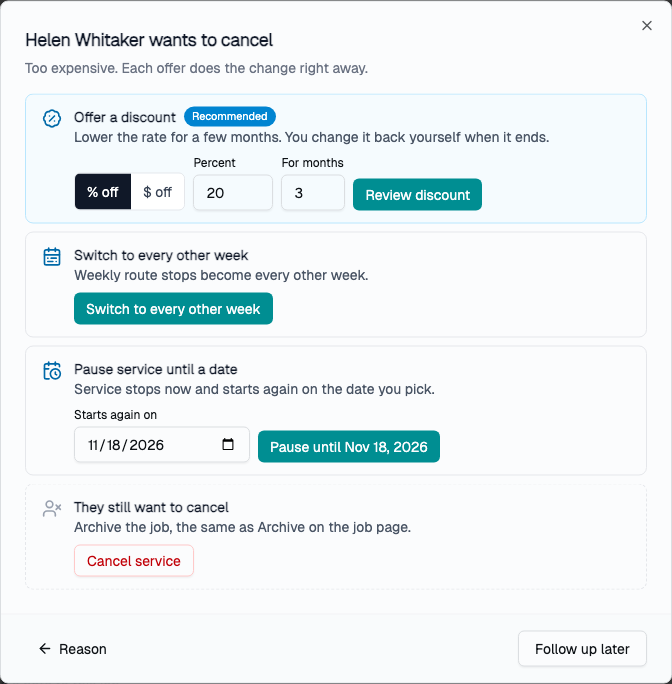
"Customer wants to cancel" on the customer or job page asks why, then offers the right save: a discount, every other week, a pause until a date, or cancel. The Cancellations report shows who you kept.
4. Missed pools, in one place
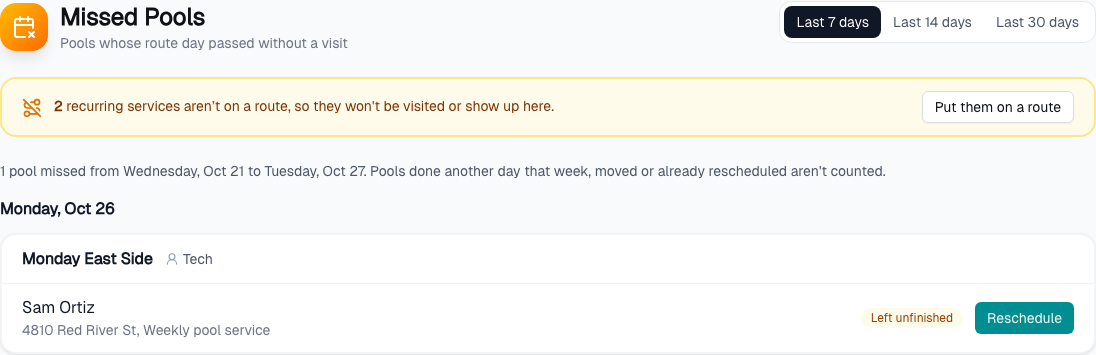
Route Schedule, Missed Pools lists every pool that didn't get serviced in the last 7, 14 or 30 days, with why and a Reschedule button. Owners also get one alert around 6 AM when pools were missed yesterday.
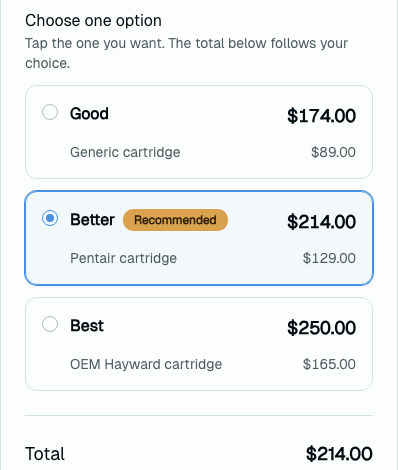
5. Good / Better / Best quotes
Offer 2 to 4 options on one quote (generic, name-brand, OEM). The customer picks one and the deposit, work order and invoice follow their choice.
6. Price new pools from your own rate card
Settings, Account, Rate card: your prices by pool size and add-ons. A lead's page shows the price with the math, and it tells you which customers pay below your card. You can also turn on a public quote form and a Sign-up Page built from it.
7. Paying techs and running trucks
Work orders take their own Tech pay, services can carry rates per tech, and each tech can be marked W-2 or 1099. Turn on the labor tools in Pay plan for weekly pay runs, incentives and levels. Trucks now have a maintenance schedule, repair orders and walk-around inspections, and techs log it all from My Truck in the app.
8. Smaller things
Customers can opt in to pool alerts by email or text. Print a month of paper invoices at once. Recurring charges every 3, 6 or 12 months. Lead categories and merging duplicate leads. Bulk tag customers. Add a card from the tech app, Check all on a stop, and up to 10 photos per visit.